

I recently upgrade my workstation to an M1 MacBook Pro. It's vastly superior to my 2013 Trashcan, but there are some sacrifices. The biggest is that Adobe Photoshop does not support video on the new Macs... yet. Not a problem for most, what fool edits video in Photoshop, after all? Well, no one does. But some many clever artist/animators do in fact animate frame by frame using Photoshop. There's even a fantastic plugin for Photoshop and After Effects called TimeLord that assists with getting work back and forth between the two. Also: AnimDessin2. Man, that's a sweet little set of interface tools to smoothify the animation process.
So, I am looking for a replacement. ToonBoom seems like a bigger tool than I need. I thought of trying Clip Studio... several friends recommend it. But I wasn't feeling the vibe. I started to test in TVPaint, but then I stumbled on Krita. Krita is free. Usually free stuff doesn't win my heart. BUT there some exceptions to that rule. Not the least of which is AnimDessin... then there's DUIK... and don't get me started on Blender. It's like all of a sudden there's pro-level stuff being given away for FREE. So, I decided to give Free a chance. And Krita hasn't disappointed. Yes, there are few issues that aggravate me. Such as:
Krita doesn't have drag-select for keyframes in Animation Curves Docker (OMG this is annoying)
Better navigation for Animation Curves Docker (click and drag zoom)
Double Clicking the Animation Curves Docker SHOULD NOT reset it to the main window.
Allow undocking of the window tab from the application frame (Ala photoshop) so that the application frame can be on one screen while the working document window is on another.
ANIMATION DOCKER interaction is ‘finicky’
Playhead interaction, icon for click-drag is too small (possibly make the element scalable/adjustable?)
Tab to next field for numeric entry in the Clip Start / Clip End / Frame Rate menu (Animation Timeline Docker)
Clicking on a keyframe in the Animation Timeline docker doesn’t switch layers. So if I have layer A selected, but then in the timeline click on a keyframe in layer B, the timeline looks like I have selected a keyframe and can start drawing, but looking at the layers docker (and the layers on the left side of the Animation timeline docker), Layer A is still selected.
Transparency Mask Keyframe: Tools like copy and paste do not work as on standard keyframes
Okay, so most of those are Animation Docker related. Docker is what Krita calls pallets.
Most of this stuff is manageable if not a little aggravating. On the plus side, they're continuing to develop the software. I assume it's un-ownable like the way Blender is. There's nothing I hate more than seeing companies gobble up FANTASTIC software to stagnate it's development because they can just charge rent and set on the dev. Yes, I'm looking at you Foundry and Autodesk and, well we'll see with Maxon. Maybe Brush won't get turned into abandonware.
Krita: good.
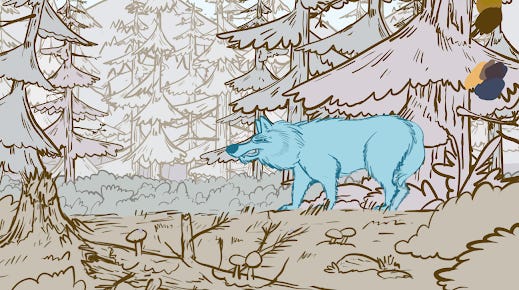
Enjoy another shot from First Contact, my upcoming animated short film. I do mean short.